
YOGOTOGO1.0 - App Store
You'll be able to see results in few seconds.
Publisher Description
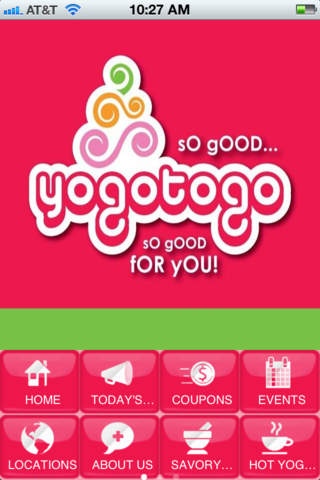
With over 100 fabulous flavors and more than 80 tasty toppings that include freshly cut fruit; granola and nuts; cookies and candy; and trendy specialties such as Mochi and Popping Boba, YOGOTOGO will tantalize your taste buds and tempt your tummy. At only pennies per ounce, YOGOTEERS have the freedom to choose the perfect size of self-serve, self-topped sensational swirls of frozen yogurt. Just go with the flow following a lemon-colored flavor ribbon twirling through the YOGO Zone, Decoration Station, and Weigh and Pay Place. Daily flavors include chocolate, vanilla, fruit, berry, tart, and flavored tart varieties along with Cake Batter, Cookies n Cream, and two novelty flavors all cultured and fermented to the highest standards by our friendly and helpful YOGOTOLOGISTS. Crown your creation with strawberries, mango, cookie dough, gummy bears, rainbow sprinkles, toasted coconut, chocolate covered waffle cone or more! YOGOTEERS on-the-go can even give their swirl a whirl with YOGOTOGO s twist on a smoothie. YOGOTOGO s clean, bright interior exudes happy, with walls and seating varieties that include citrus orange, luscious lime, and bubble gum pink providing the perfect place to chill with family and friends. Teams, groups, and organizations can frequent the comfortable lounge to get ideas flowing and freely as the frozen yogurt. And, free Wi-Fi is always YOGOTOGO s treat! Yummy yogurt. Tasty toppings. Sensational smoothies. Guilt free goodness. Fabulous fun. How do you YOGOTOGO?
Requires iOS 3.2 or later. Compatible with iPhone, iPad, and iPod touch.
About YOGOTOGO
The company that develops YOGOTOGO is Damian Castro. The latest version released by its developer is 1.0.
To install YOGOTOGO on your iOS device, just click the green Continue To App button above to start the installation process. The app is listed on our website since 2012-02-21 and was downloaded 0 times. We have already checked if the download link is safe, however for your own protection we recommend that you scan the downloaded app with your antivirus. Your antivirus may detect the YOGOTOGO as malware if the download link is broken.
How to install YOGOTOGO on your iOS device:
- Click on the Continue To App button on our website. This will redirect you to the App Store.
- Once the YOGOTOGO is shown in the iTunes listing of your iOS device, you can start its download and installation. Tap on the GET button to the right of the app to start downloading it.
- If you are not logged-in the iOS appstore app, you'll be prompted for your your Apple ID and/or password.
- After YOGOTOGO is downloaded, you'll see an INSTALL button to the right. Tap on it to start the actual installation of the iOS app.
- Once installation is finished you can tap on the OPEN button to start it. Its icon will also be added to your device home screen.
Program Details
System requirements
Download information
Pricing
Version History
version 1.0
posted on 2012-02-21
Disclaimer
Official App Store Link
We do not host YOGOTOGO on our servers. We did not scan it for viruses, adware, spyware or other type of malware. This app is hosted by Apple and passed their terms and conditions to be listed there. We recommend caution when installing it.
The App Store link for YOGOTOGO is provided to you by apps112.com without any warranties, representations or guarantees of any kind, so access it at your own risk.
If you have questions regarding this particular app contact the publisher directly. For questions about the functionalities of apps112.com contact us.
